

In today's fast-paced, hyper-digital world, keeping students focused in the classroom can feel like an uphill battle.
From scrolling on phones to zoning out during lectures, distractions are everywhere. But what if the very technology we often blame for short attention spans could actually solve the problem?
Enter the smart board—an interactive, dynamic tool that's transforming the traditional classroom into an engaging, student-centered environment.
Let’s explore how smart boards are not just flashy tech, but powerful allies in boosting student attention, motivation, and learning outcomes.
The Attention Crisis in Classrooms Today
Many teachers face the same challenge:
“How do I hold my students’ attention long enough to make a real impact?”
Some common classroom engagement hurdles include:
Monotonous lectures
Passive learning formats
Lack of real-time feedback
Diverse learning needs that aren't being met
Traditional teaching methods often struggle to compete with the digital experiences students are used to. That’s where smart boards step in—and change the game.
What Exactly Is a Smart Board?
A smart board (also known as an interactive whiteboard) is a large touch-sensitive screen that connects to a computer and projector. But unlike traditional boards, it:
Responds to touch, stylus, or gestures
Allows teachers to display multimedia content
Enables students to interact directly with lessons
Integrates with apps, quizzes, and collaborative tools
It’s like combining the power of a whiteboard, tablet, and computer—all in one classroom-friendly package.
How Smart Boards Improve Student Focus and Engagement
1. Interactive Content Grabs Attention
Smart boards let teachers display videos, animations, and interactive diagrams. When students can see, touch, and explore the lesson, their brains stay engaged.
Visual learners
Hands-on learners
Everyone else
2. Multisensory Learning Keeps Minds Alert
Engagement increases when multiple senses are involved. Smart boards combine:
Visual input (charts, videos, live drawing)
Auditory elements (narration, sounds)
Kinesthetic interaction (drag-and-drop activities, handwriting)
This multisensory approach improves:
Retention
Focus
Comprehension
3. Real-Time Feedback Builds Momentum
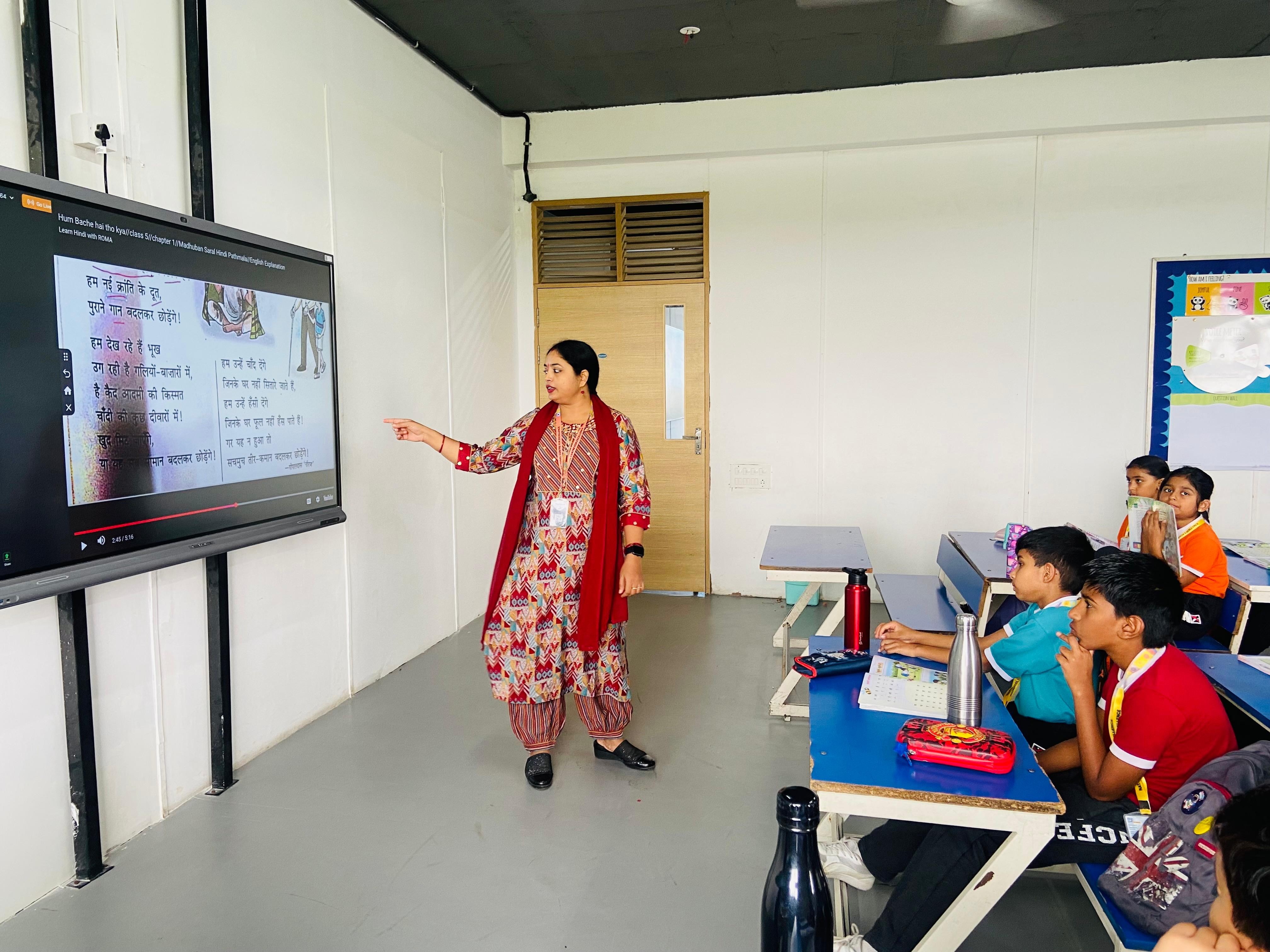
With smart board tools, teachers can:
Run live quizzes
Display polls or interactive exercises
Provide instant corrections
Immediate feedback helps students stay on track and encourages participation without fear of failure.
4. Gamification Makes Learning Fun
Smart boards make it easy to introduce game-like elements:
Leaderboards for class activities
Timed challenges
Team-based puzzles
When learning feels like a game, students stay motivated and immersed—especially those who struggle with traditional methods.
5. Supports Diverse Learning Styles

Every class has students who learn differently. Smart boards allow teachers to:
Display visuals for visual learners
Use narration or recordings for auditory learners
Let students interact with content for tactile learners
This helps ensure no one is left behind, and everyone has a way to connect with the material.
6. Encourages Collaboration and Peer Learning
Smart boards promote shared activities like:
Group brainstorming
Class debates with visual prompts
Solving math problems together on screen
Students are more likely to stay focused when learning becomes social and collaborative.
Real-Life Results: What Schools Are Seeing
Schools that integrate smart boards report:
Higher student engagement in subjects like science, math, and language
Improved classroom participation, especially among quieter students
Better attendance and classroom behavior
Faster comprehension of complex topics
Teachers often say, “Students don’t even realize how much they’re learning—they’re just having fun.”
Frequently Asked Questions
1. Are smart boards hard for teachers to use?
Not at all. Most are designed with simple, intuitive interfaces. With just a bit of training, even first-time users can confidently lead interactive lessons.
2. Do smart boards distract from learning?
When used intentionally, smart boards actually reduce distraction by keeping students engaged. The key is blending fun with focus.
3. Can they be used in all subjects?
Yes! From maths and science to English, art, and history—smart boards enhance every subject through visuals, activities, and interactive storytelling.
4. Are smart boards suitable for younger students?
Absolutely. In fact, primary students respond especially well to the tactile, visual nature of smart boards. They make learning playful and intuitive.
Final Thoughts: Smart Tools for Smarter Classrooms
Technology alone doesn’t create great education. But when used wisely, tools like smart boards can help unlock every student’s full potential.
They turn passive learners into active explorers.
They turn lessons into experiences.
And most importantly, they help teachers build classrooms kids actually want to be in.


